Solarxy, part one: a 3D asset viewer and visual debugger
An open-source, cross-platform 3D model viewer and visual debugger built in Rust and wgpu, and the story of why I built it. Part one of the Solarxy build log.
Engineering / April 15, 2026 / 9 min read
- #rust
- #wgpu
- #computer-graphics
- #ai-first
- #open-source
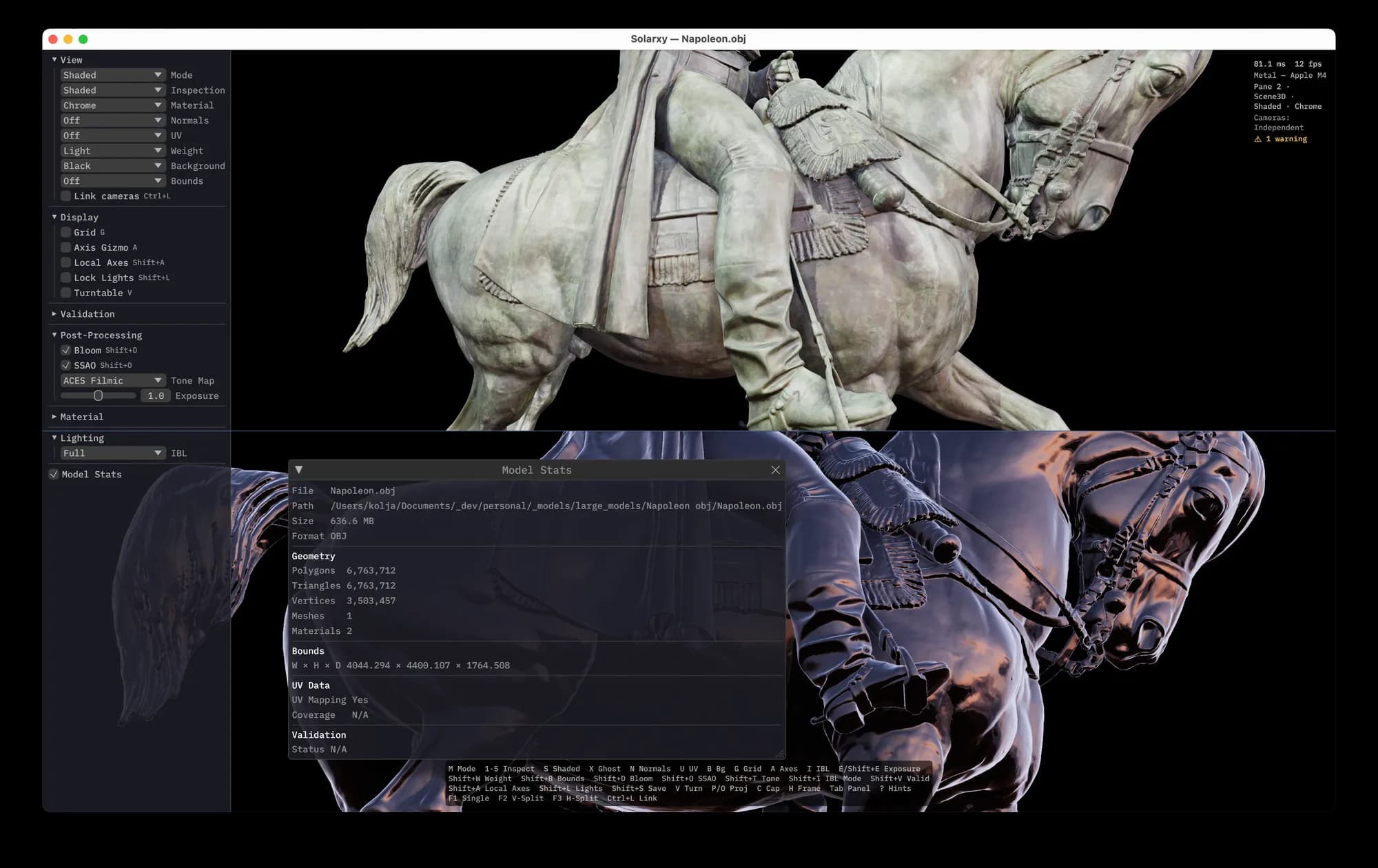
I have been spending nights and weekends developing an idea I have had for quite some time. Crafting hopefully nice images along the way. Exploring what happens when you combine computer graphics passion, years of experience across 3D pipelines, and a stubborn unwillingness to stop learning, with AI-assisted development as an accelerator.
The result is Solarxy. An open source, cross platform 3D model viewer and visual debugger built entirely in Rust. Single binary. Under a few MB. Very small memory footprint. Runs natively on macOS, Linux, and Windows. Five platform targets from one codebase. Apple Silicon, Intel, x86, ARM, so we can unleash 3D asset review and checks on Macs, Windows, and Linux machines alike.
Building Solarxy is not my day job. It is a personal project. But I find it valuable to switch sides from time to time. To remind myself what it feels like to be on every end of product development. In my day job I work with great teams. Here I am a team of one. I define the specs, shape the roadmap, write the code, test it, deploy it, break things, fix them, ship. The full loop.
There are always more things to consider than you expect, more edge cases than you plan for, more decisions that ripple further than you thought. I have experienced this from the management side for years. Experiencing it end to end, alone, on nights and weekends, is a different kind of education. Among many hobbies of mine, this one stuck harder than the rest.
Solarxy is a lightweight, cross-platform 3D model viewer and visual debugger built with Rust and wgpu. Inspect 3D models in a real-time graphical viewer with split viewports and inspection overlays, or analyze them from the terminal with built-in validation checks.
It is free, and you can download it right now. The following notes go over the high-level Solarxy features and workflows; a detailed user guide lives in the wiki.
Why Solarxy
Anyone who has worked with 3D assets knows the friction. You receive or create a model. You need to check it. Are the normals right. Are UVs present. Is the geometry clean. Are surface normals and curvature smooth. Is the silhouette correct.
Over the years I have built many small visual checkers. When I was modeling AR-ready and optimized assets with strict poly-count budgets, and hero assets, I developed custom inspection tools using MaxScript in 3ds Max. Quick shader overrides. Normal checks. Curvature visualizations. Small scripts that answered specific questions about a model without leaving the DCC.
The problem is that those tools are locked inside the DCC, and not very cheap ones. Every time I switched from 3ds Max to Houdini to Blender, I rebuilt the same checkers from scratch. Different scripting language, different API, same questions. I am still dragging to all my new machines my ancient MaxScripts, like ten-year-old stuff. That was a sign, and the need for the initial Solarxy feature set.
I wanted something that works the same way regardless of which software created the model. A standalone tool that renders it properly and tells me what is wrong with it. No DCC-specific scripting. No massive suite to open for a quick check. So I started building it.
What it looks like
Solarxy renders with physically based shading. Cook-Torrance BRDF, image based lighting, shadow mapping, screen space ambient occlusion, bloom, tone mapping. A three light rig that follows the camera, inspired by Houdini's and Blender's viewport lighting.
It is not a wireframe preview. It is a proper renderer that happens to fit in a few MB binary, thanks to the Rust toolchain and heavy compile-time optimization. It is still keyboard-shortcut heavy, and that is intentional. I draw inspiration from one of my favourite and most powerful pieces of software, Headus UV Layout. Clean, straight to the point, super fast if you remember a few keyboard shortcuts. That same philosophy drives Solarxy's interaction design.
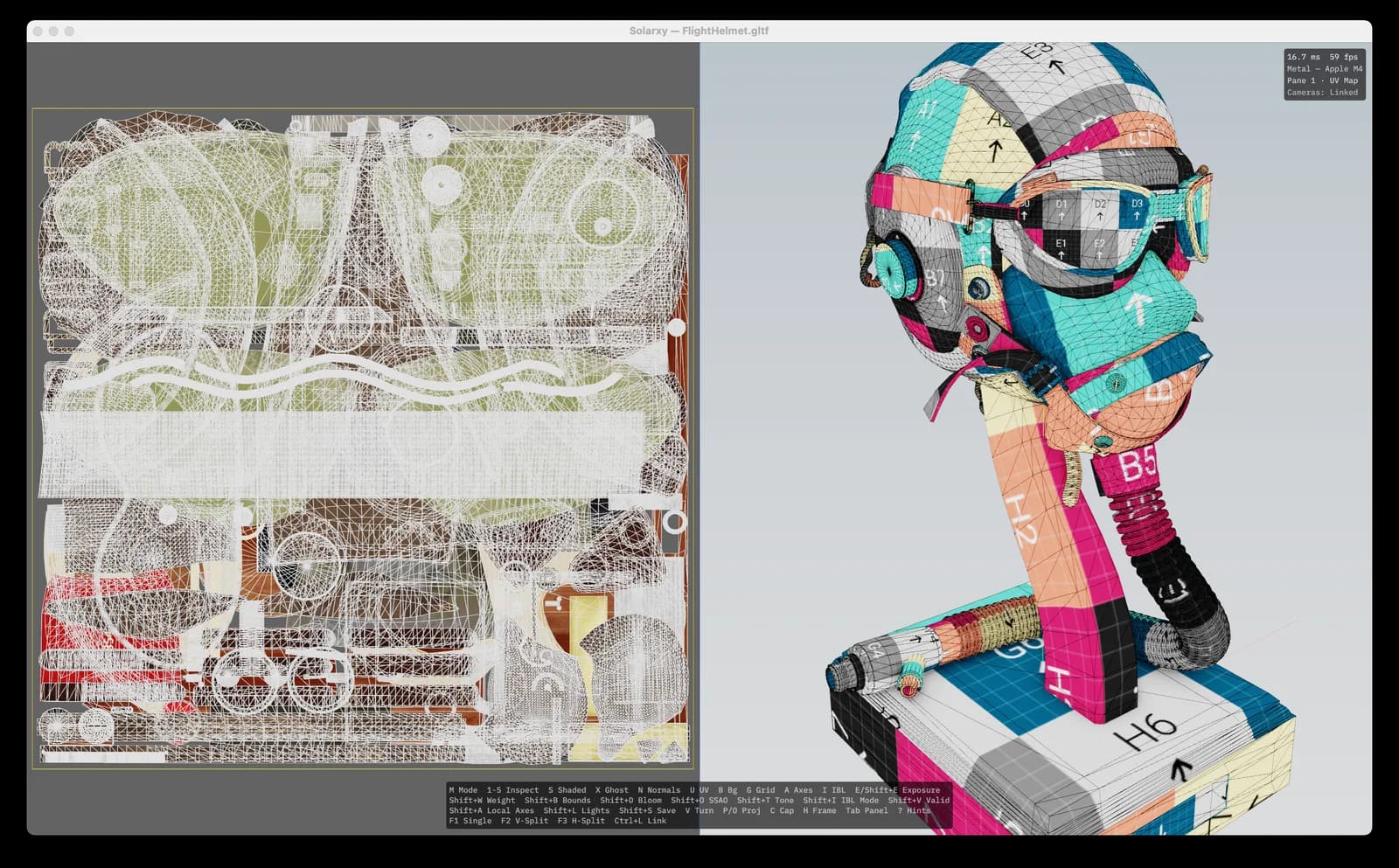
But pretty PBR rendering is only half the story. The real value is what happens when you start peeling the layers of an asset. You can toggle many different view modes to visually inspect geometry topology, normals, surfaces, and other important asset details. One keypress and the model reveals what is underneath the textures.
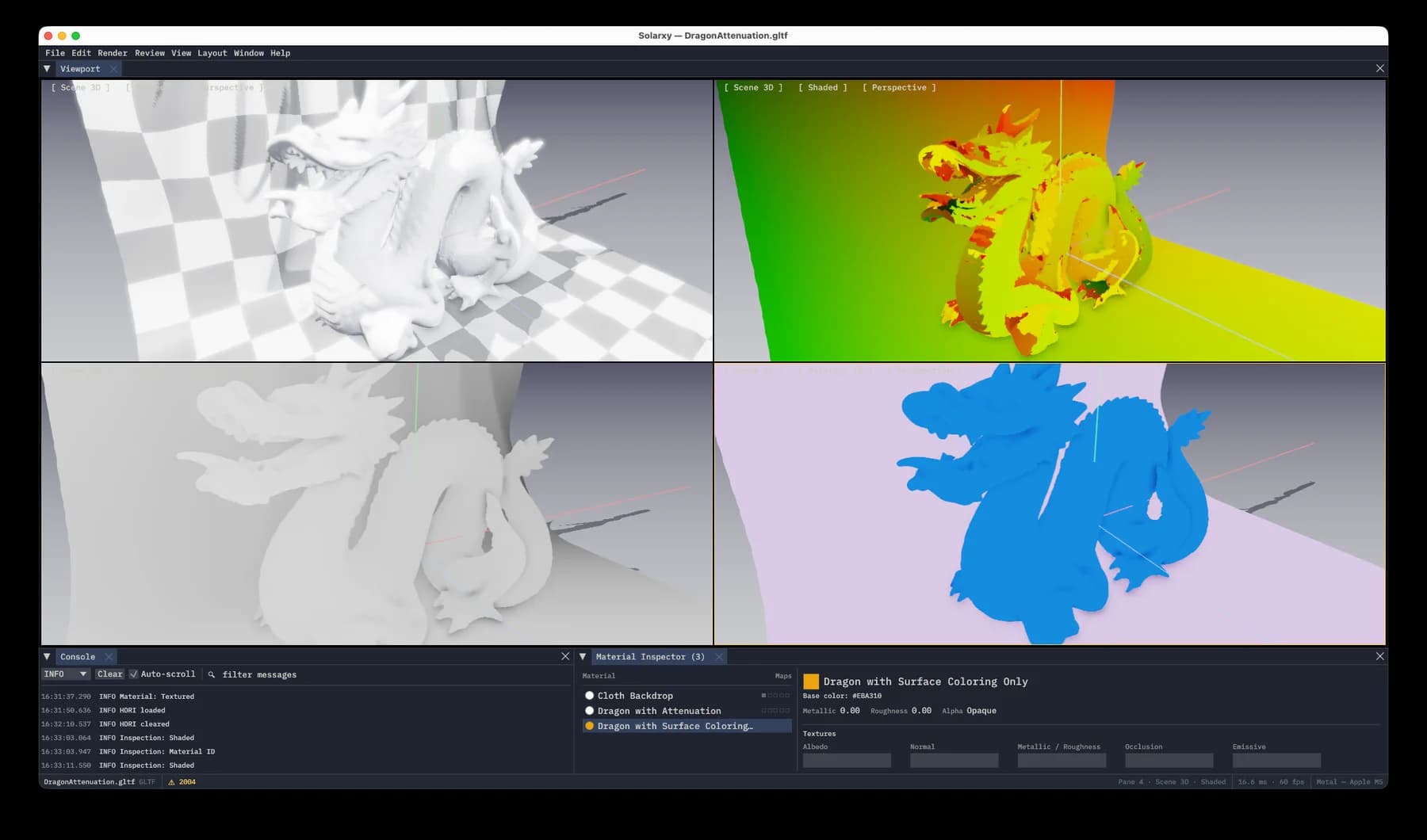
You can toggle UV overlays, display normals, show per-mesh bounding boxes, switch between perspective and orthographic, take screenshots. All with single key shortcuts at native resolution in a fraction of a second.
Split viewport takes this further. Press F2 and the window divides. UV layout on one side, shaded model on the other. Each pane has its own camera. You can orbit the 3D view while studying the UV islands. This is the view I always wanted when reviewing assets and never had in a single lightweight tool.
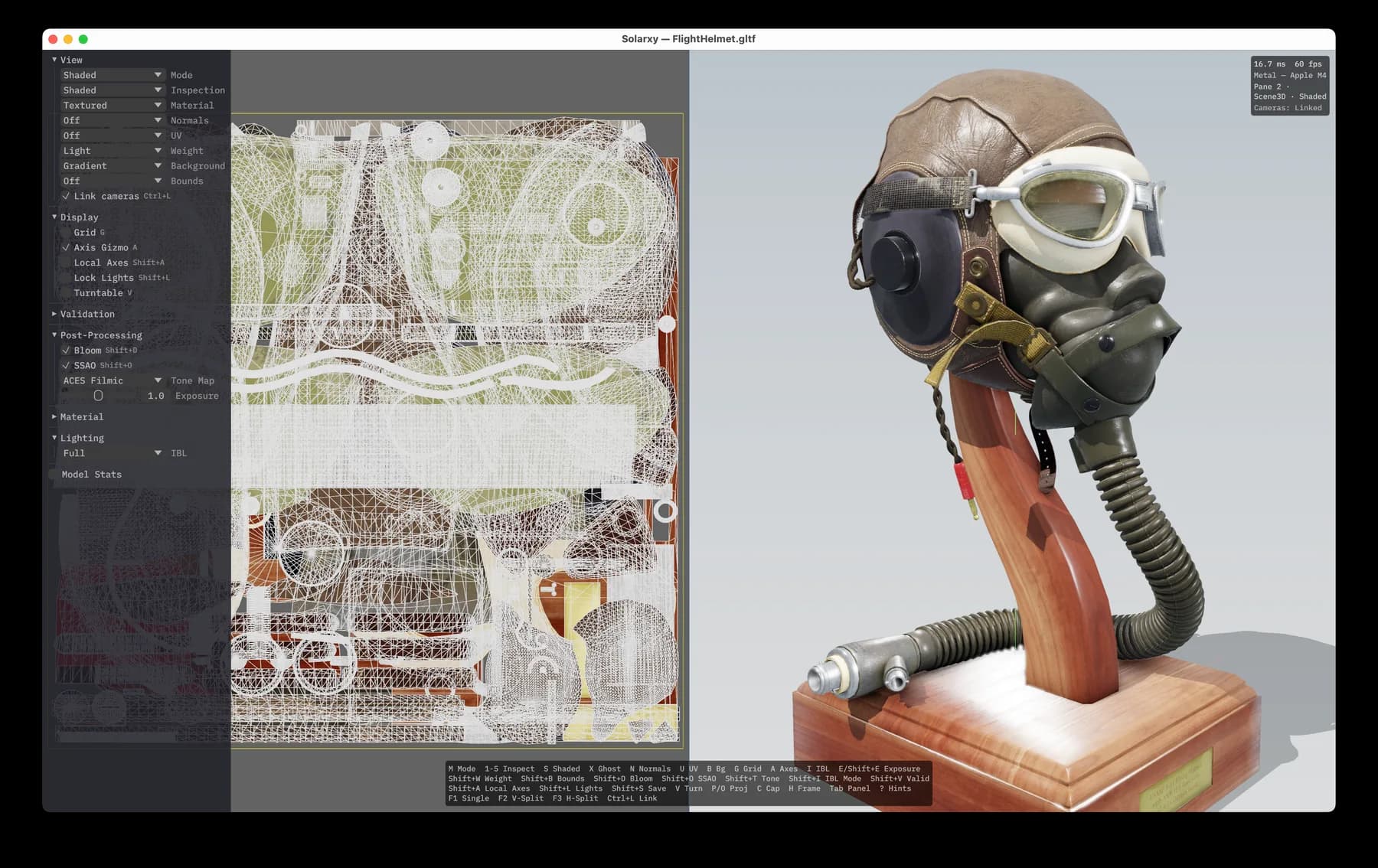
What textures hide
Solarxy aims at enabling visual checks, quickly. I have added a few display modes that I always end up recreating from scratch in 3ds Max, Houdini, Blender. Clay rendering. Dark chrome. Matte black. Quick visual checks of geometry, how shadows fall over surfaces, how boundary edges behave. Silhouette view override for inspecting the outline without distraction. These are the modes that tell you more about a model in five seconds than a textured PBR view ever will.
IBL is also a thing in Solarxy. Drop an HDRI or EXR file over the model view and see how diffuse and reflections come alive. Custom environment lighting without touching a settings panel. The default procedural environment is decent, but once you drop a real HDRI the difference is immediate. Metallic surfaces start reacting. The model stops looking like a render and starts looking like it belongs somewhere.
SSAO works like a charm and Solarxy supports a bloom pass. I especially like SSAO over x-ray or Z-depth view overrides. Details and form pop out and it becomes easier to inspect models visually. Small surface imperfections and contact shadows that you would miss in a flat shaded view become obvious. There is something satisfying about toggling SSAO on and watching every cavity and crease in a model suddenly come forward. It is like putting glasses on for the first time.
Sometimes while inspecting geometry, reflections obstruct a clean surface read. Specular highlights can hide dents, pinching, and topology issues that matter for production. For that, Solarxy lets you switch instantly to a light or dark clay view where no reflections or speculars obstruct the geometry, so you can focus on the model in just a diffuse rough material. The goal is to see the model the way a sculptor would. Shape, proportion, light falloff.
Switch to analyze mode and Solarxy opens a terminal interface. Four tabs. Overview, Meshes, Materials, Validation. Automated checks that flag real problems. Mismatched normals. Non-triangulated geometry. Missing textures. Invalid material references. Export results to structured TXT or JSON, so you can record the state of an asset or share it with your peers.
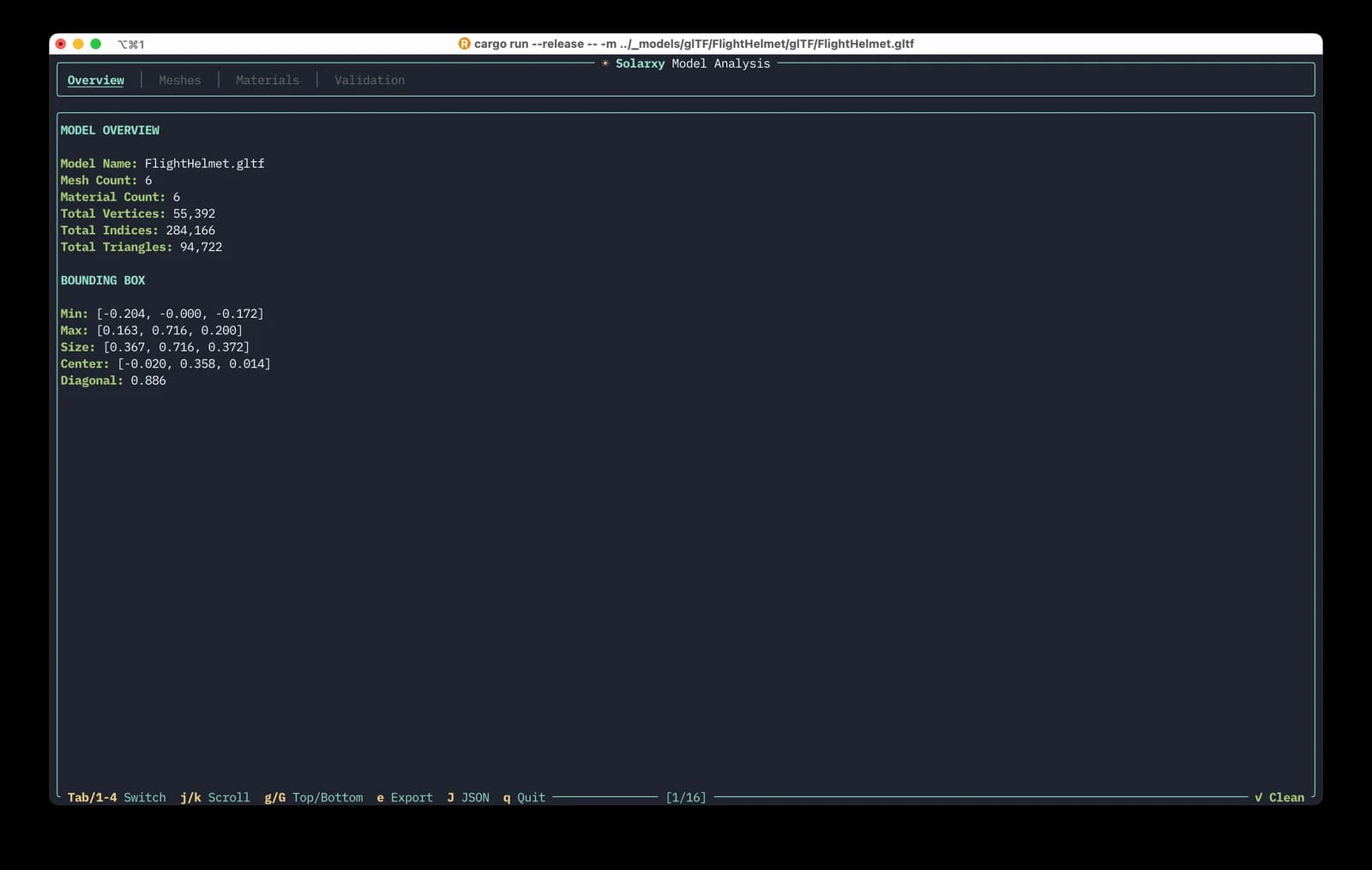
This is the part that separates Solarxy from a typical viewer. Most stop at showing you the model. Solarxy goes further and tells you what is wrong with it. Programmatically and repeatably, in a format you can pipe into other tools or attach to a ticket. Two sides of the same tool. See it and verify it.
CLI model checks today are a first pass. In the next release, Solarxy expands to support pipeline engineers running CI batch checks and aggregating analysis results across many folders. The vision is that every 3D asset in a production pipeline gets the same automated quality gate that code already has. Linting for geometry.
Solarxy currently supports OBJ, STL, PLY, and glTF/GLB. FBX, Collada, and others are on the horizon. The validator is format aware. Missing UVs on a glTF is a warning. Missing UVs on an STL is expected. Context matters. Solarxy is broken into a few crates, to enable headless runs tied to 3D asset validation pipelines.
The stack
Rust all the way. wgpu for graphics, egui for GUI panels, ratatui for TUI modes. For those not familiar with wgpu, it is a Rust implementation of the WebGPU standard. It talks to Vulkan on Linux, Metal on macOS, and DirectX 12 on Windows. One codebase, many GPU backends, true cross-platform rendering without locking into a single vendor API. The shaders are written in WGSL, the shading language designed for WebGPU, so no cross compilation.
Rust because of high performance, the build system and toolchain, and because of a very strict compiler that actually throws meaningful errors. Thanks to Clippy and rustfmt, writing non-idiomatic Rust is not really an option. Cargo and the tooling around it blew my mind on day one and still does.
Yes, I have used Claude Code
Before you freak out, I have used it as an acceleration tool. Not vibe coding, since in this domain it is hard to find vibes. Not a "create me a fancy PBR viewer" kind of thing. It is just hard to vibe through the graphics pipeline, order passes, and make everything snappy and interactive.
Over the last year I learned as much as I could about Rust and wgpu. Many thanks to the learn-wgpu guide, which kicked off the initial functionality. It was challenging at first, but having experience with OpenGL and GLSL shaders, things clicked fairly quickly with WGSL.
I used Claude as my pair buddy, never letting it write more than a few things before I reviewed and verified. It struggled with ordering render passes. It even made rookie mistakes, like requesting the GPU adapter with power preference set to default, which made Solarxy use the integrated GPU instead of the high-performance dedicated hardware. That one took a while to catch across different machines and operating systems.
What I found is that Rust plays very nicely with AI tooling in some domains. The compiler is strict. Borrow and ownership are in the DNA of the language. It does not go unsafe and fall down the rabbit hole of memory issues you can run into with C++. The guardrails are real, and they help both the human and the AI stay honest.
But before any technology kicked off, I applied my business analysis skills first. Assessed current and future state. Crafted synthetic personas based on research across forums, open source communities, and my own experience in 3D pipelines for years. That was all input into carefully crafting milestones and a roadmap, one by one. The product thinking came before the first line of Rust.
What is next
I have carefully picked the stack for Solarxy, and because of that it can go into many different places. The same codebase as a desktop app, a web app, integrated into VS Code. A 3D ticketing review system directly over the model. Batch asset analysis across entire pipeline folder structures. The foundation was built with these paths in mind from day one.
For people like me who heavily rely on keyboard shortcuts, Solarxy will keep that mantra. But one of the next steps is adding more GUI components to make the growing functionality easier to discover. Menu bar. Live modeless console. Material inspector. Review notes system. The keyboard stays king, but the GUI will make sure new users do not need to read the docs to find what they are looking for.
Try it
It is free, open source, and MIT licensed. Compile from source and run it, or install it. Both are fairly simple. Throw your worst model files at it and tell me what breaks. I am on macOS, Windows 11, and Fedora, and cannot discover all edge cases on my own. From time to time run the updater to install the latest stable build.